TikTok Attribution For Partners
Connect your TikTok ad campaigns with MediaScalers to track conversions accurately, optimize performance, and make smarter advertising decisions with real-time data.
Overview
Supercharge your TikTok advertising with a powerful integration that bridges the gap between clicks and conversions.
This seamless connection lets you push valuable conversion data directly from MediaScalers to TikTok through their API, giving you visibility that TikTok's native tracking simply can't match. When someone interacts with your TikTok ad and later converts, MediaScalers captures that journey and feeds it back to TikTok, helping your campaigns get smarter with every conversion.
The result? Better ad targeting, improved ROAS, and the ability to scale what's working while cutting what isn't. Whether you're running web or app campaigns, this integration gives you the attribution clarity you need to make data-driven decisions and stay competitive in TikTok's fast-moving ad ecosystem.
Who Is This For?
This integration is designed for:
- Media buyers running TikTok ad campaigns
- Advertising partners managing TikTok campaigns
- Network administrators setting up tracking systems
- Performance marketers requiring accurate attribution data
- MediaScalers partners needing to optimize TikTok campaigns
Prerequisites
Before starting the integration, ensure you have:
| Prerequisite | Description |
|---|---|
| Required Accounts |
|
| Technical Requirements |
|
| Required Information |
|
| Important Notes |
|
| Time & Resource Estimate |
|
Step-By-Step Guide
1) Connect Pixel
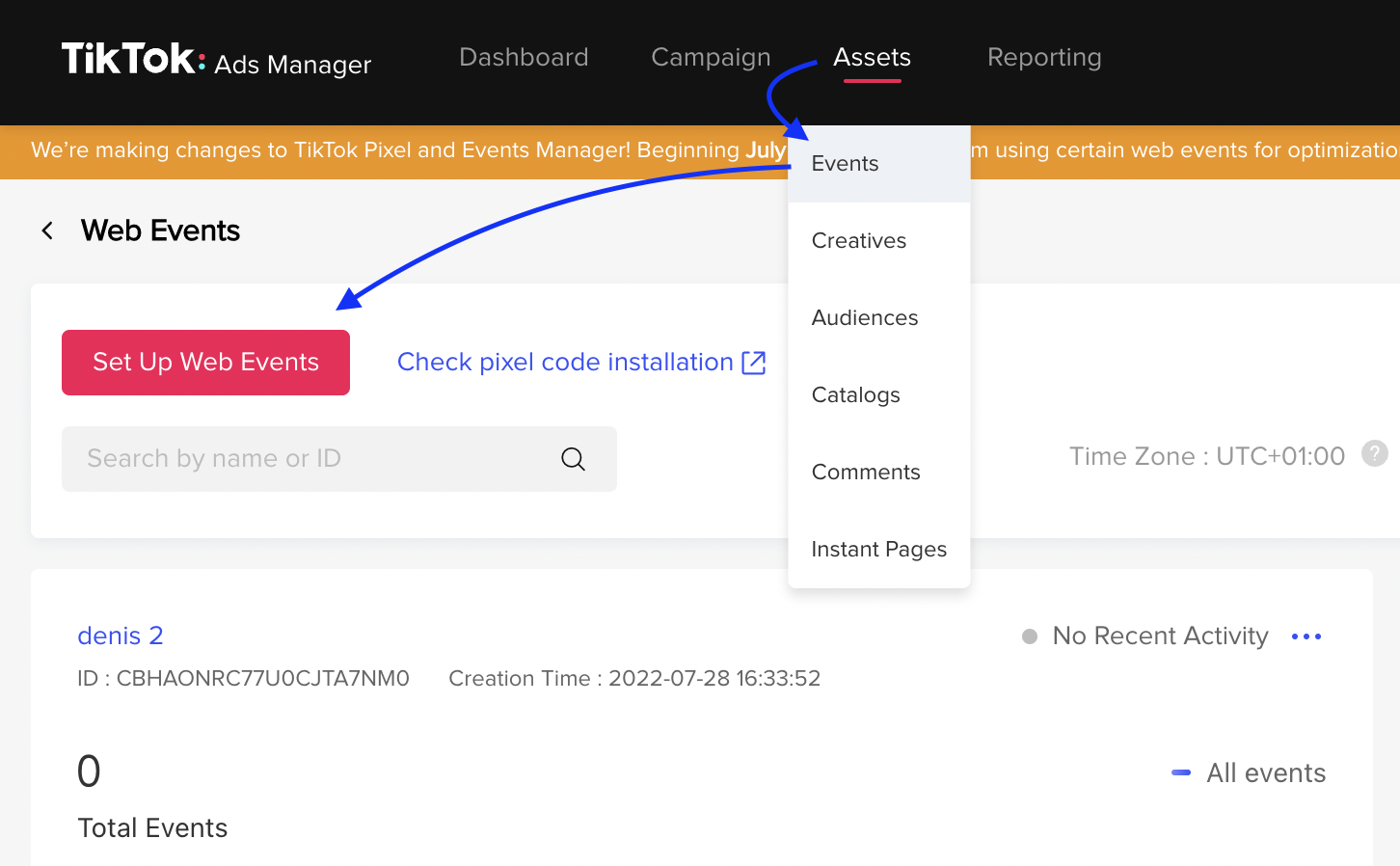
Go to the TikTok: Ads Manager. Click Assets, then choose Events.
- Select web or app events, depending on where you want to track.
- To create a new pixel, click Set Up Web Events, or click on a pixel below to manage an existing one.
- If you are creating a new pixel, follow the instructions from TikTok to finish the pixel setup.
2) Generate Access Token
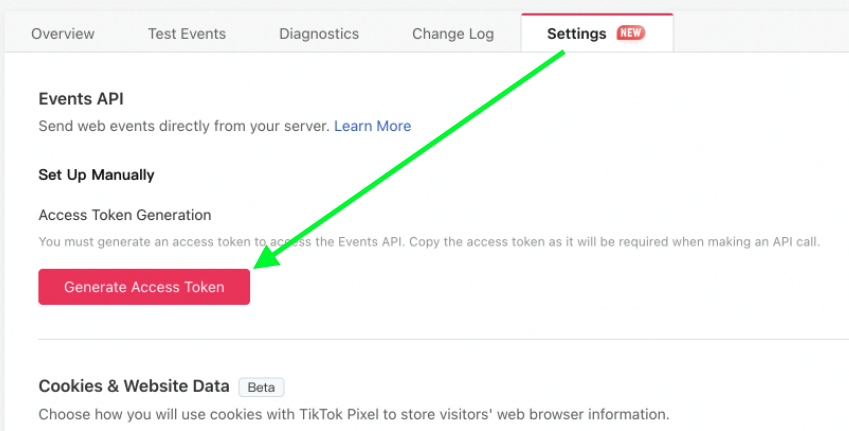
In the TikTok: Ads Manager, after you have completed Step 1, open your pixel and click the Settings tab → Generate Access Token.
- Copy the Access Token and then navigate back to MediaScalers.
Heads Up!
Once the token is generated, be sure to keep a copy of it — you will not be able to see it again after leaving this screen.
3) Set Up Integration
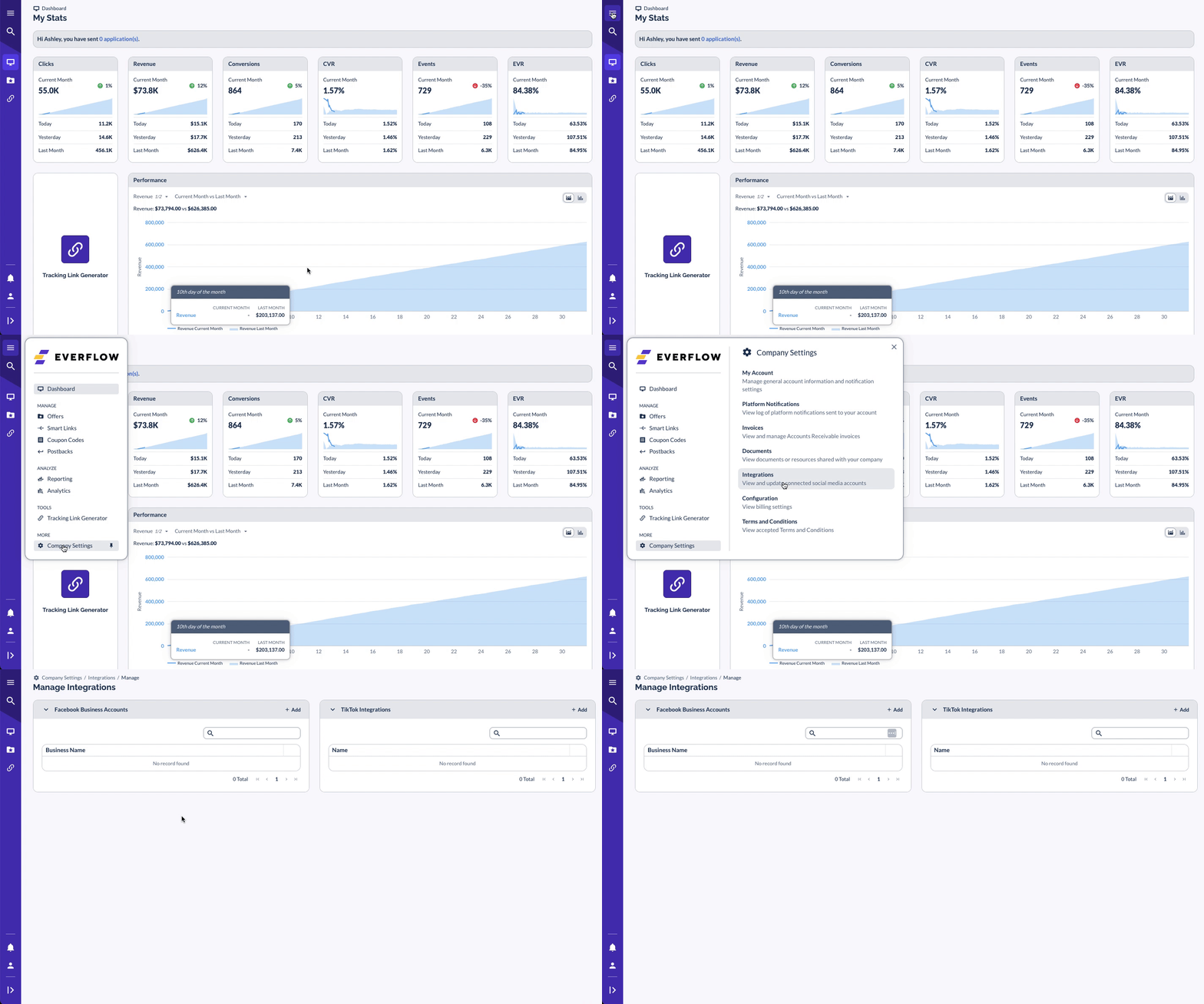
In MediaScalers, navigate to Company Settings - Integrations.
NOTE: This section is only available in the Partner Portal, not in the Network Portal. For more info on creating a Partner account, please contact your MediaScalers account manager.
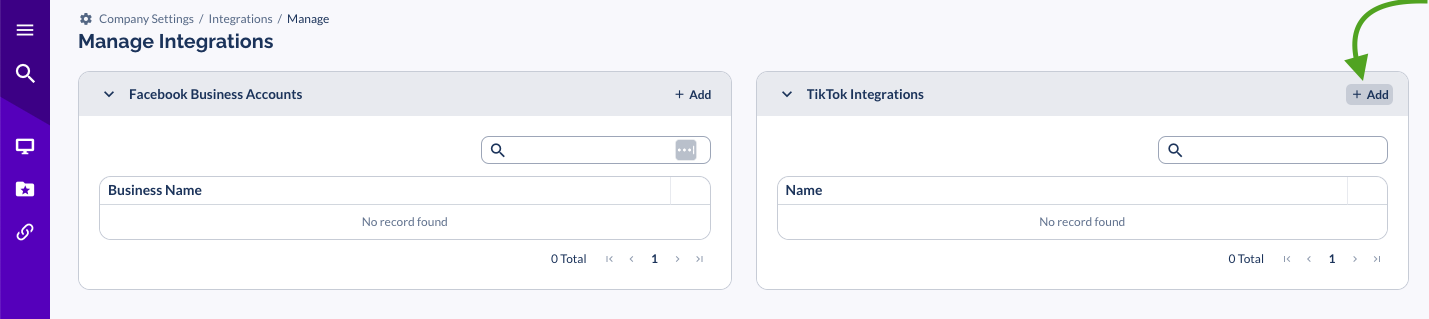
- On the TikTok Integrations card, click Add.
- Name the app and paste the Access Token copied in Step 2.
4) Add Postback inside MediaScalers
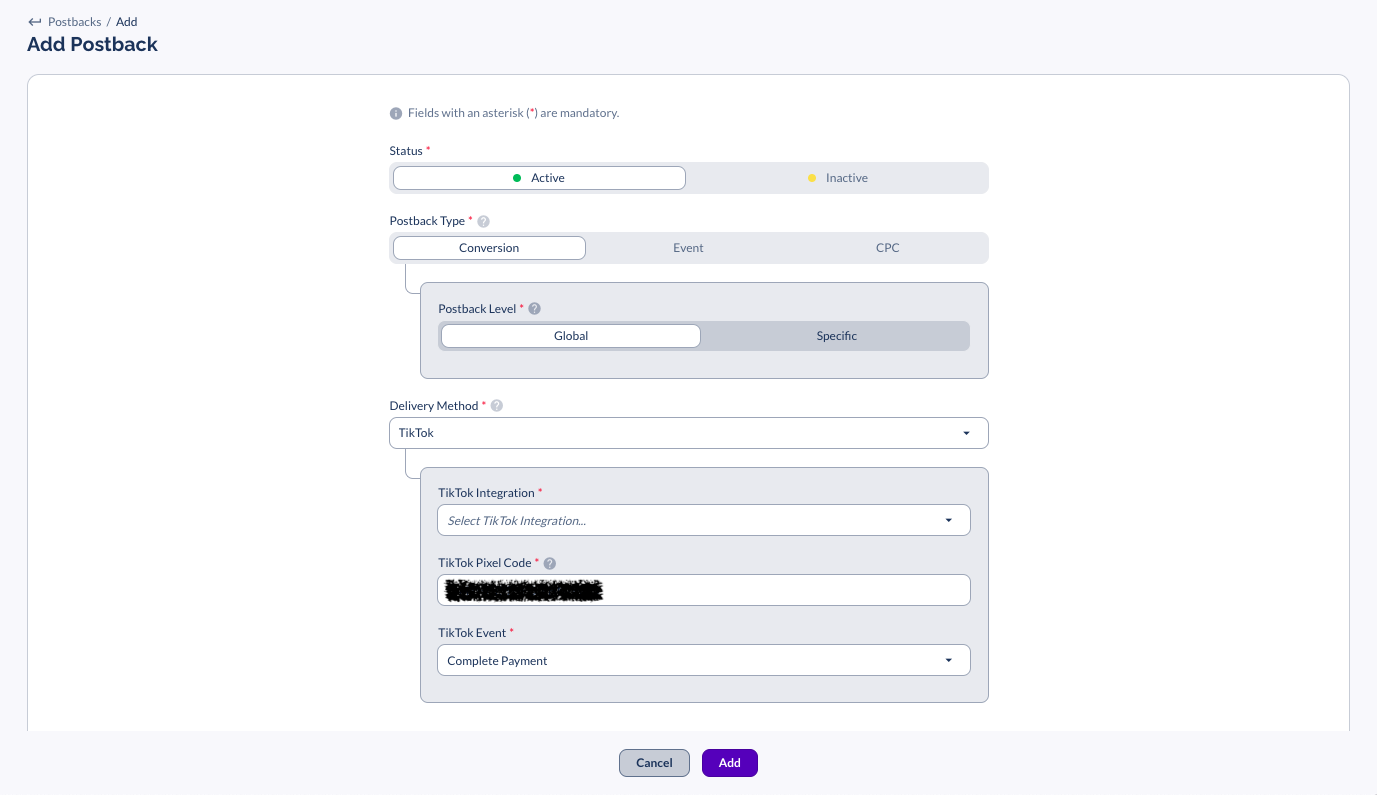
- Navigate to Postbacks, then click + Postback.
- Select TikTok as the Delivery Method, then select your TikTok Integration.
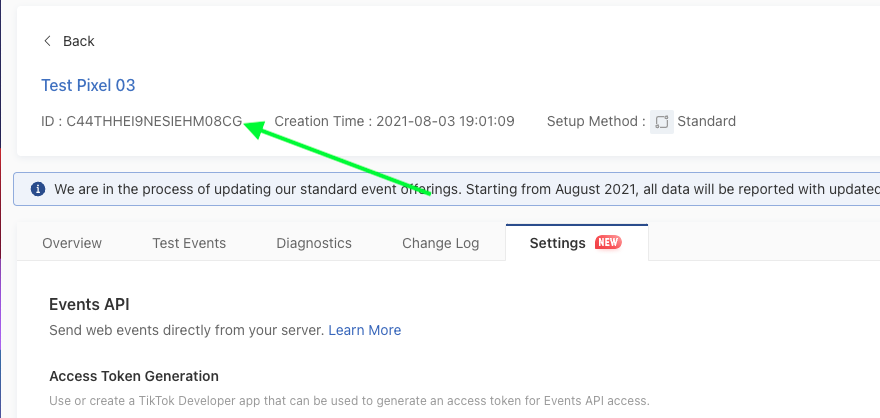
- Enter your TikTok Pixel Code, which can be found inside TikTok by going to:
- Assets → Event (top menu) → Website Pixel (Manage)
- Click on the pixel and copy the ID at the top of that screen underneath the name of the pixel.
TikTok Properties (Only Accessible to Network Users)
Use the TikTok Properties section to pass specific values using "Data Fields" owned by TikTok. You can either hardcode a value or use a macro. See the TikTok Documentation for definitions of all available Data Fields.
- For example, to pass the payout amount into TikTok, select the Value Data Field and enter {payout_amount} or {sale_amount} as the Value.
- Click Save.
5) Add TikTok Click ID to Destination URL
- When setting up the ad, make sure to append ?ttclid=__CLICKID__ to your MediaScalers Partner Tracking URL to pass the TikTok Click ID to the Destination URL.
- For more info on TikTok Click ID parameters — [Click Here]
6) Test
- To test your setup, follow TikTok's preview instructions — [Click Here]
Troubleshooting
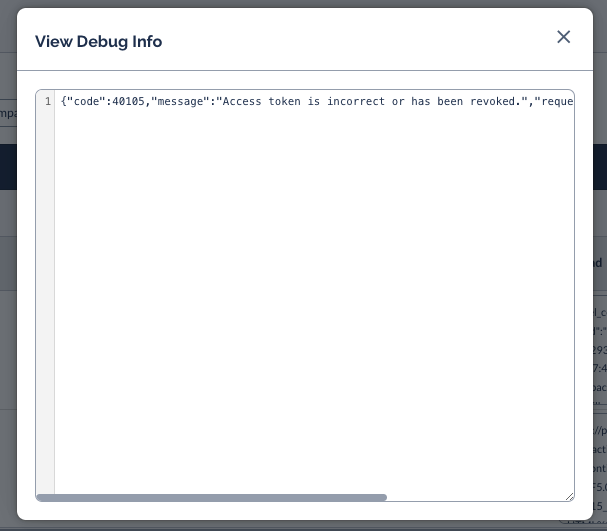
Viewing the API Response from TikTok
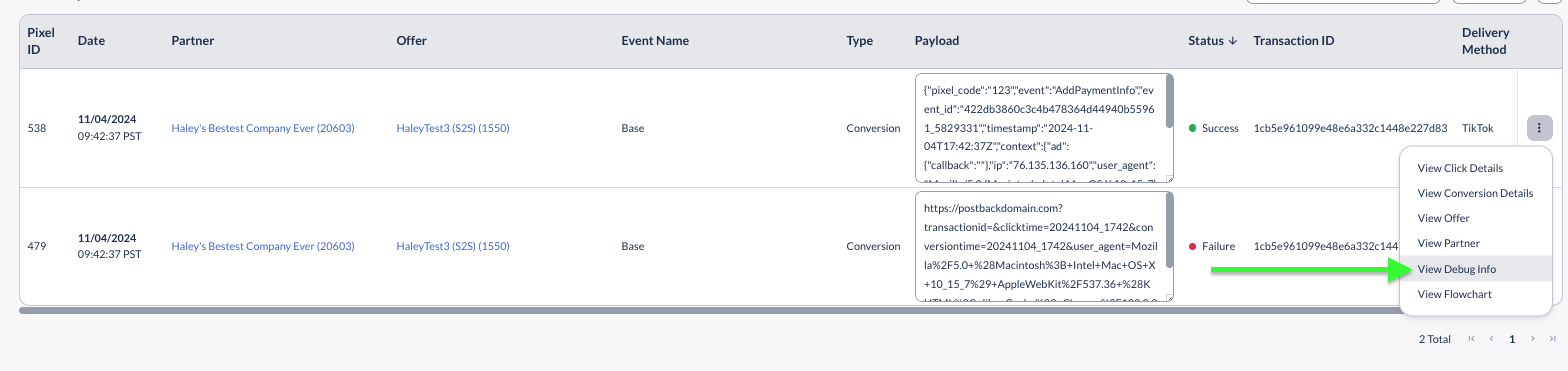
To view the API response from TikTok and determine if there is an error, go to Reporting → Partner Postback and find the TikTok Postback that fired.
Select the conversion options → View Debug Info:
You will then be able to review the Server Response from TikTok:
Required ttclid is Missing from Click Parameters
TikTok will only receive a successful response if a ttclid is included in the click details. This can be viewed under the click details → Parameters of the click that was made:
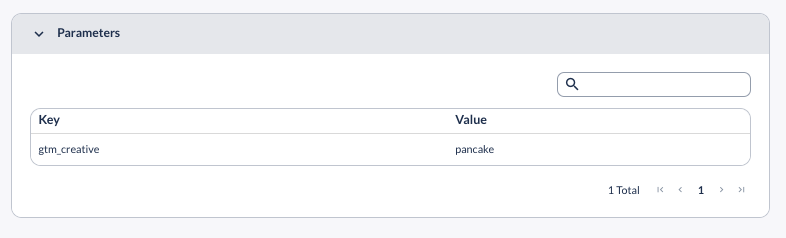
- If an affiliate is using direct linking, the ttclid will automatically be passed when a user clicks on the TikTok Ad. If they are using direct linking and there is no ttclid, then the click did not originate from TikTok traffic.
- If the partner is using a redirect tracking link, they will need to ensure &ttclid={ttclid} is appended to their Partner Tracking Link used in the Ad Placement.
Heads Up!
Direct Linking is required by TikTok and using Redirect Links will put the TikTok Ad Account at risk of being flagged by TikTok.