Google Ads Integration For Partners
Learn how to connect your Google Ads campaigns with MediaScalers for better tracking and optimization of conversions and events.
Overview
Transform your Google Ads campaigns from good to exceptional with our powerful integration. By connecting your Google Ads account directly to MediaScalers, you'll unlock a whole new level of tracking precision and optimization capability that delivers real results.
Partners using this integration have achieved up to 91% more quality leads with only a 9% increase in ad spend — proof that better data leads to smarter decisions. Whether you're looking to maximize conversions, reduce wasted spend, or gain deeper insights into your campaign performance, this seamless connection between platforms gives you the tools to make it happen.
Real Results
- Partners have seen up to 91% more quality leads
- Only 9% increase in ad spend needed
- Proven success across multiple verticals
What This Integration Does
This integration helps you:
- Connect your Google Ads account directly to MediaScalers
- Send click data from Google Ads to your MediaScalers dashboard
- Pass conversion and event data back to Google Ads for better optimization
One MediaScalers Account Per Google Ads Account
Each Google Ads account should only be connected to one MediaScalers account. If the same Google Ads account is connected to multiple accounts, Google will append tracking templates from both integrations to your ad URLs. This results in duplicate oid and affid parameters in the click URL — MediaScalers cannot determine which account the click belongs to and will attribute the click to whichever appears first in the URL.
Prerequisites for Google Ads Integration
Before starting the setup, make sure you have:
| Prerequisite | Description |
|---|---|
| Required Accounts |
|
| Technical Requirements |
|
A Step-By-Step Guide
1) Connect Your Account
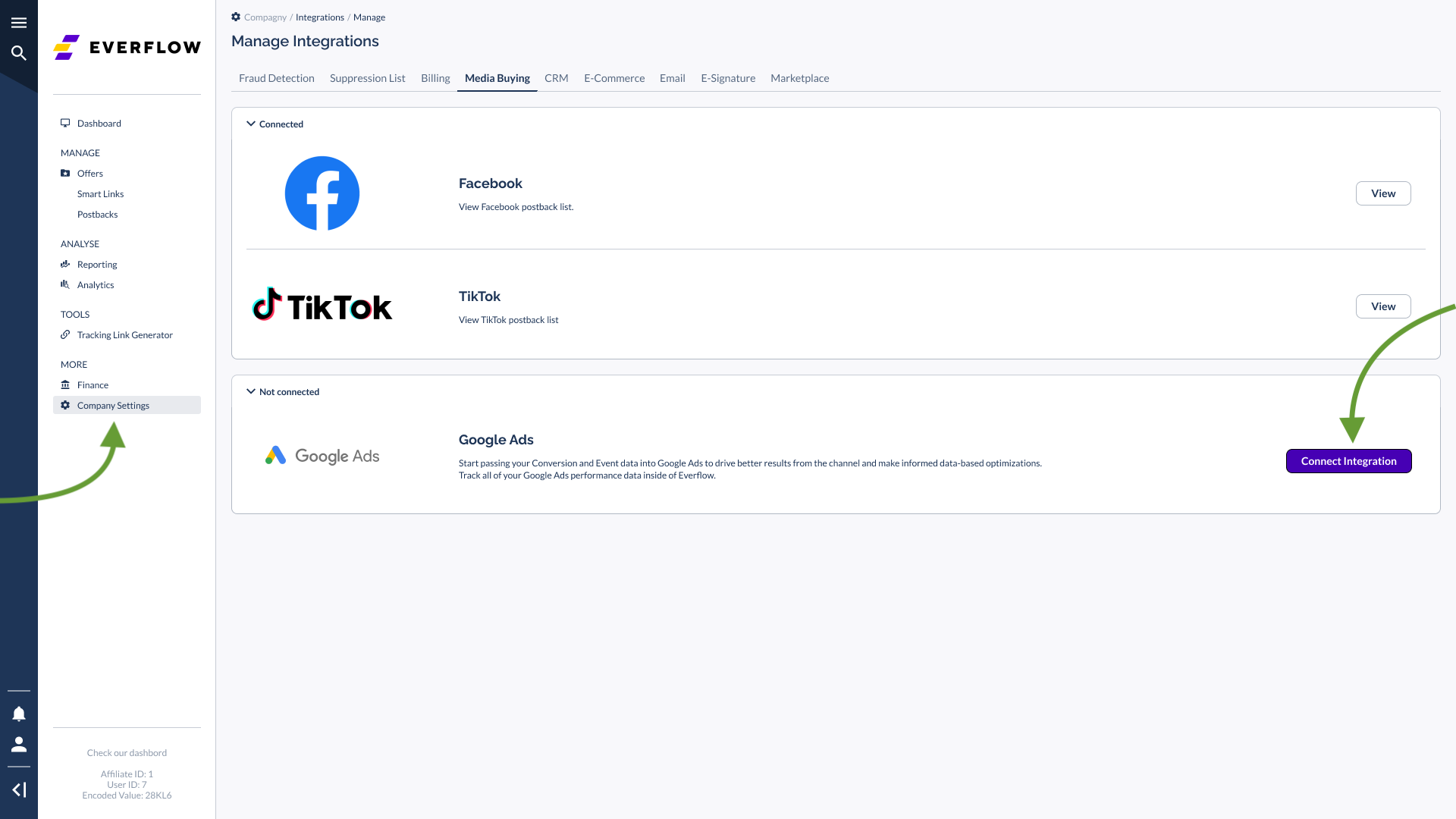
- Go to Company Settings - Integrations > Media Buying > Google Ads
- Click Connect Integration
- Sign into your Google account
- Click Allow to authorize the connection
2) Configure Your Integration
After connecting, you'll need to complete four setup sections:
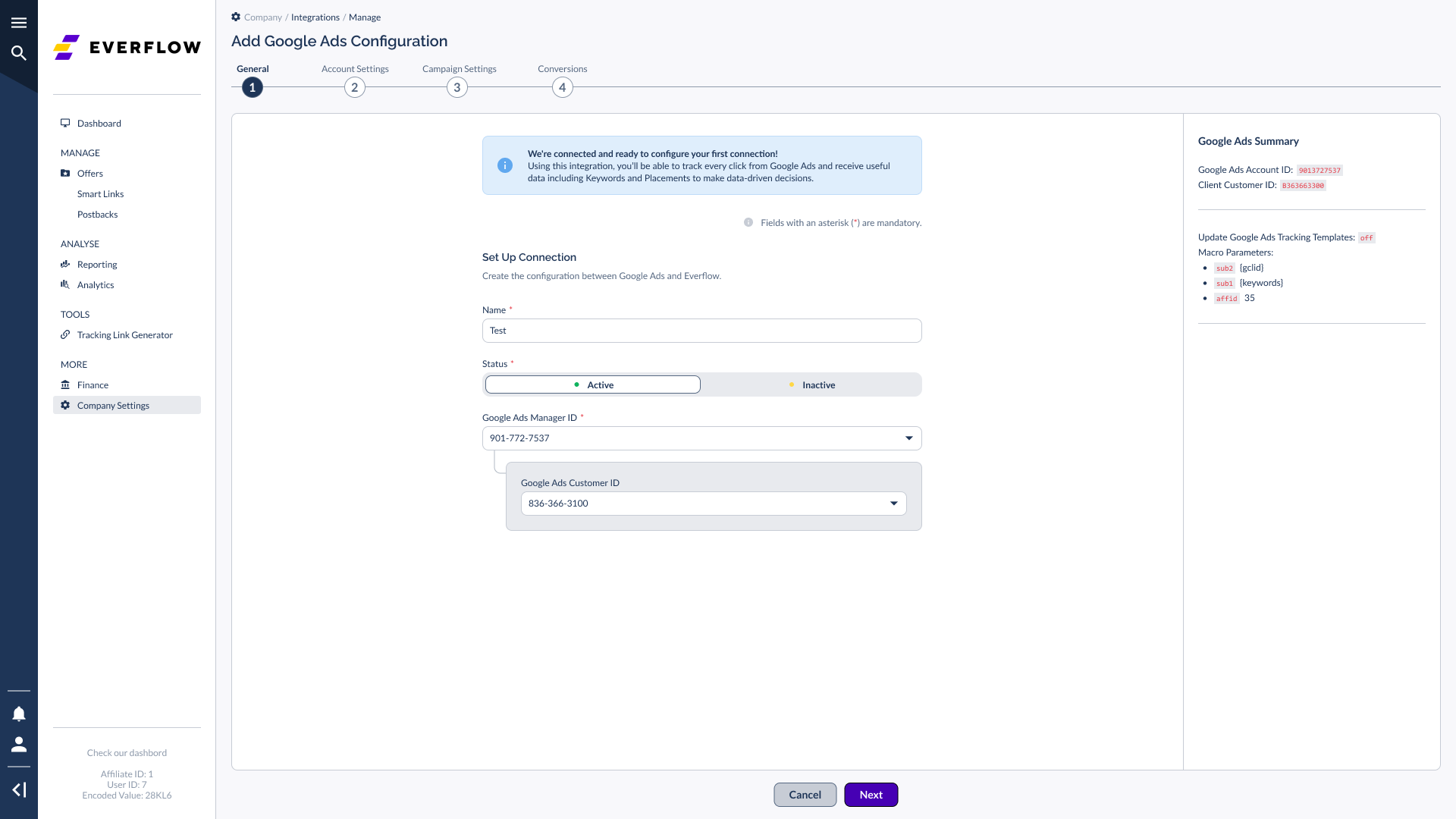
General Settings
- Enter a name for your connection
- Add your Google Ads Manager ID
- Add your Google Ads Customer ID
Account Settings
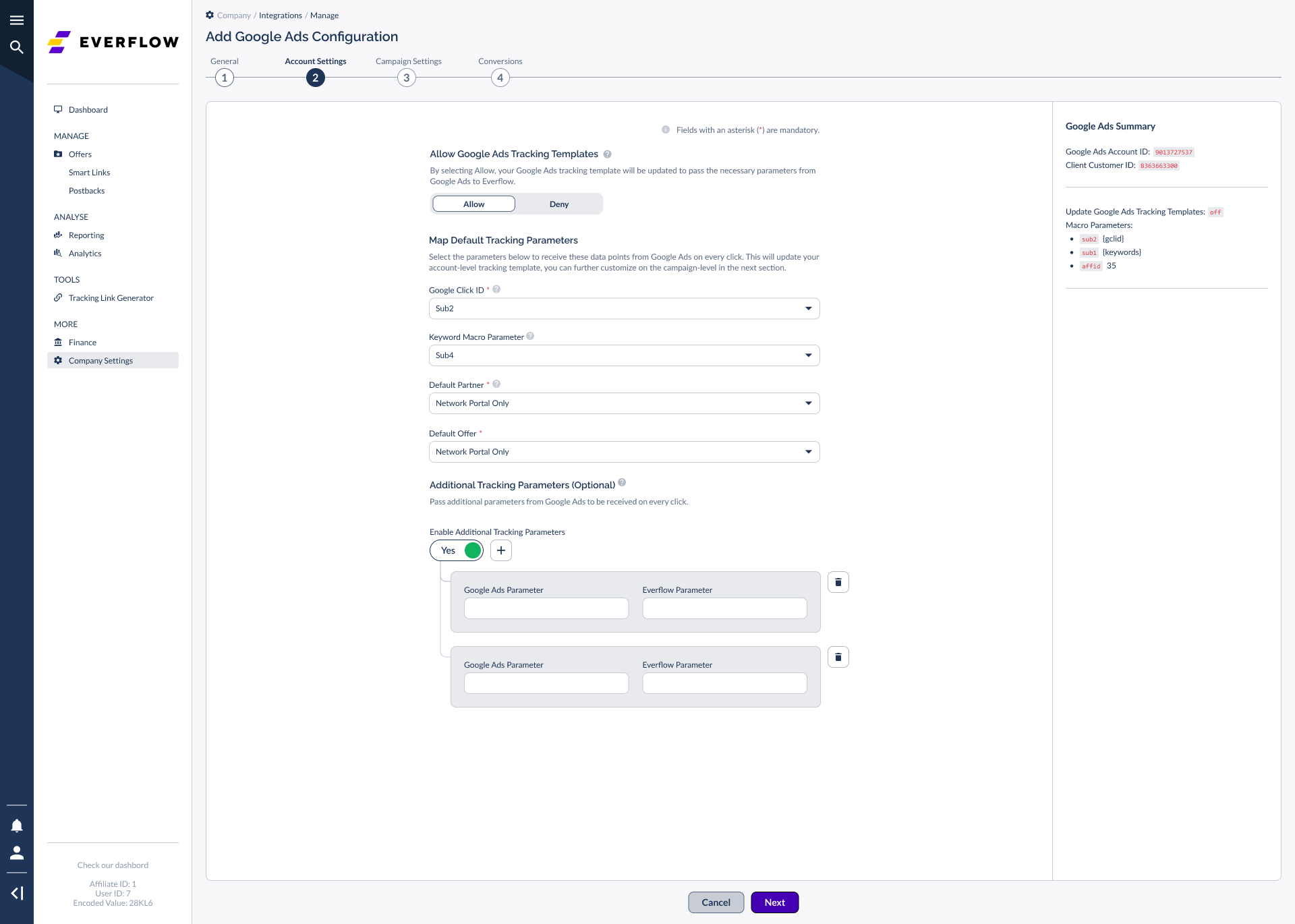
NOTE: Technically, this section is optional, but it is required in order to receive the gclid in a particular sub-parameter, which ultimately allows MediaScalers to associate a click with its future conversion in Google Ads. If you are choosing not to use it, select Deny.
- By selecting Allow, the default Google Ads tracking template will be updated to pass the necessary parameters for Google Ads and MediaScalers to connect on every click.
- In the Map Default Tracking Parameters section, select the parameters used to receive data points from Google Ads.
- There are two tracking template levels:
- Account level — uses your Default Offer
- Campaign level — configured in the next section
Campaign Settings (Optional)
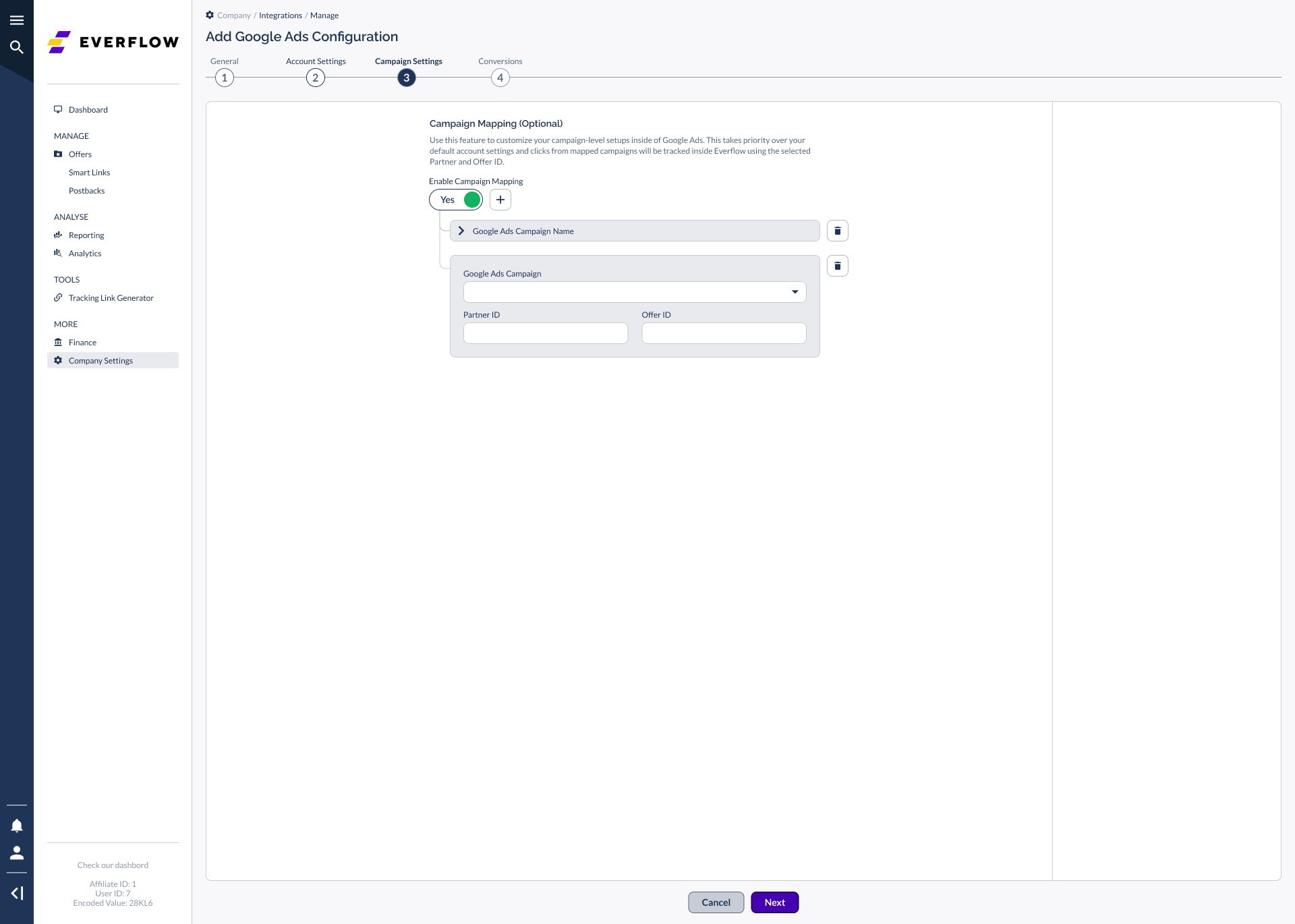
- Customize campaign-level setups in Google Ads
- Set specific tracking templates for individual campaigns
- If not enabled, account-level settings from the previous section will apply
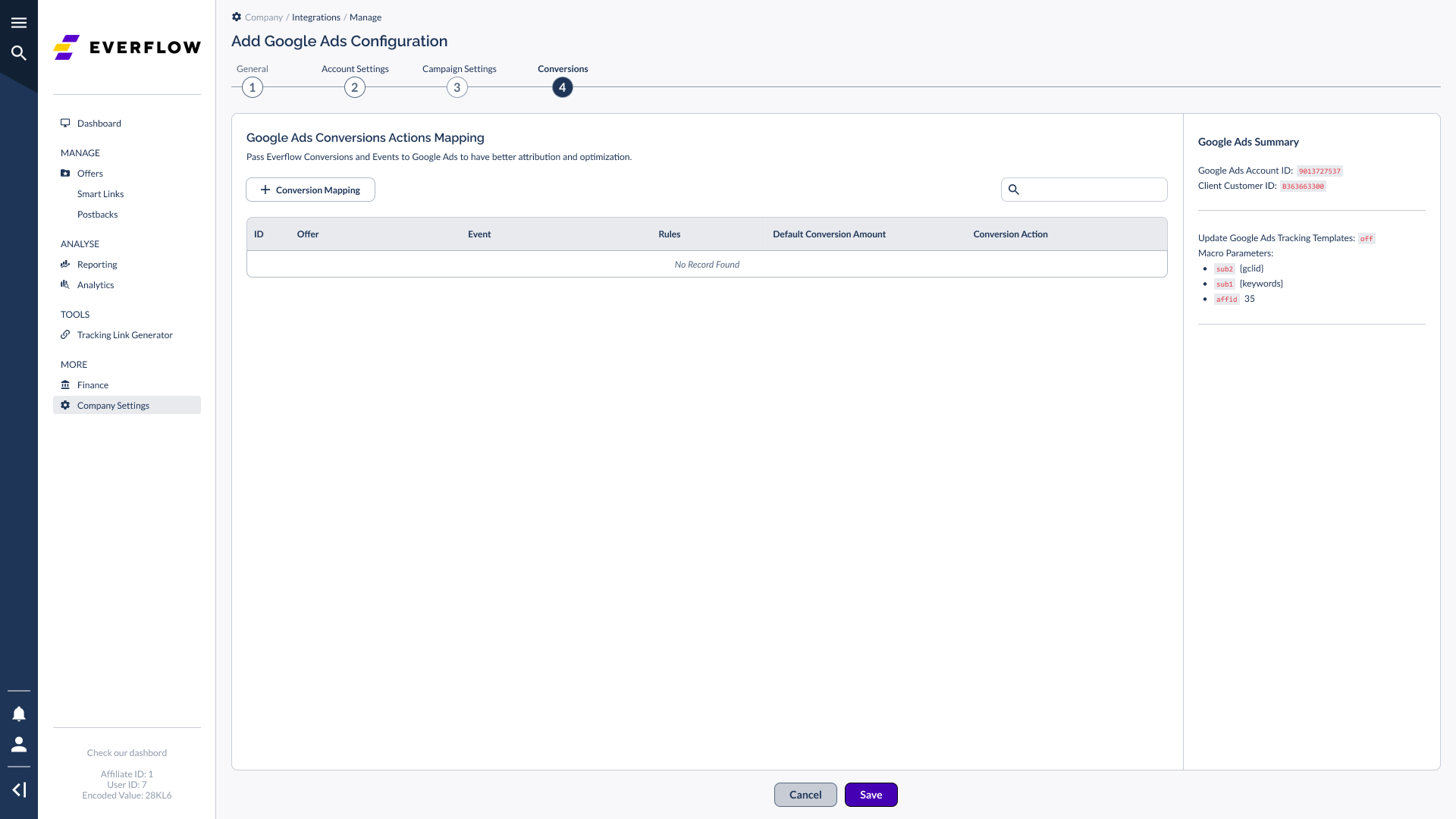
Conversions (Recommended)
This section is optional but strongly recommended for optimization purposes. If you choose to complete your integration without adding a conversion, leave the fields blank and click Save.
NOTE: This section allows for mapping multiple Events within your configuration. Since "campaigns" and "conversion actions" are two totally separate concepts in Google Ads, this section lets you specify which conversion actions are sent back to MediaScalers. This section does not affect your tracking templates — whereas Campaign Settings (the previous section) does affect your tracking templates.
Think of a "Conversion Action" in Google Ads as Google's version of the combination of a MediaScalers Offer + Event. You need to map Google Ads' version to MediaScalers if you want to track it. Whatever mapping configuration you select here will send postbacks to Google Ads.
- To add a conversion mapping configuration, click + Conversion Mapping
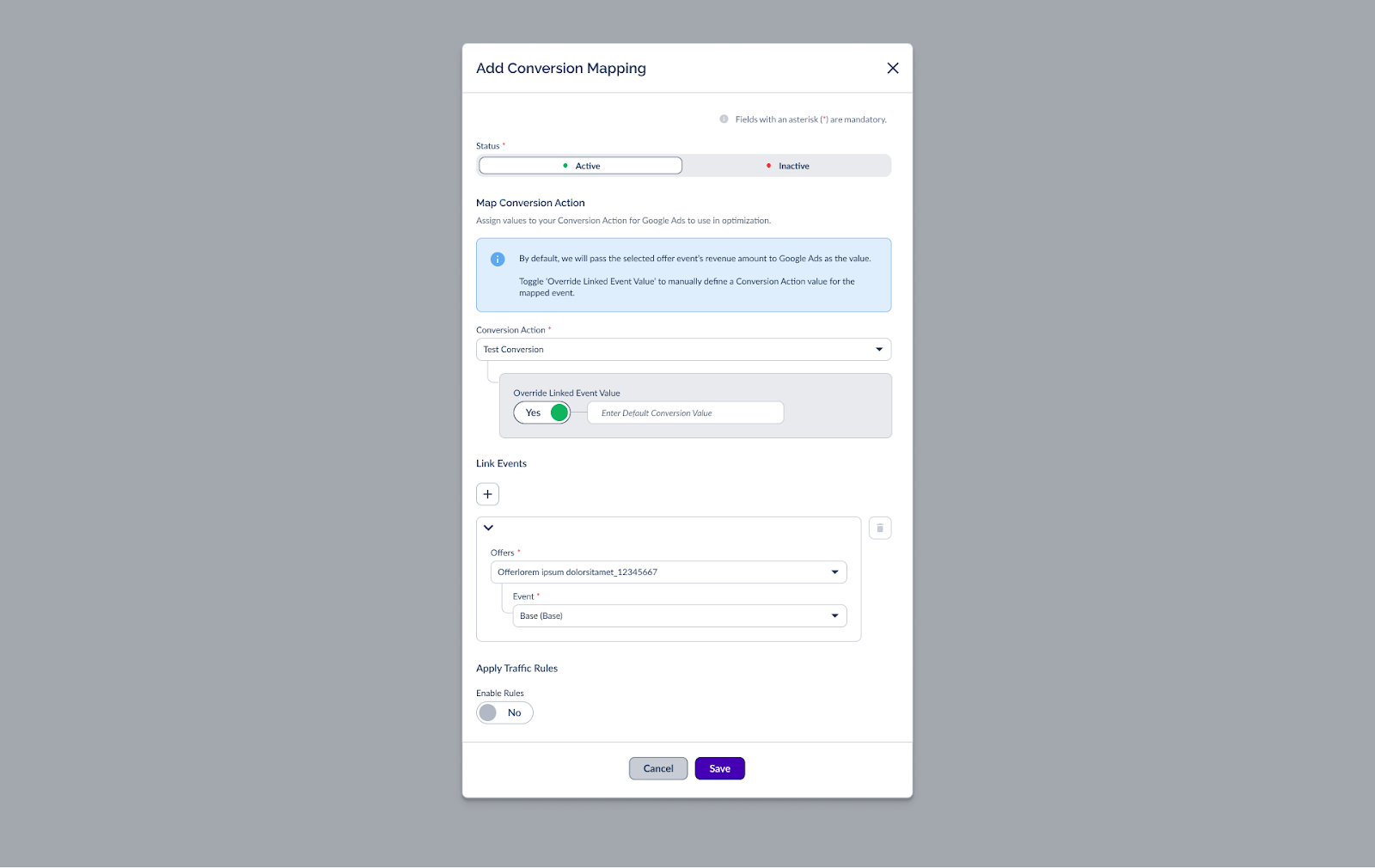
- For each conversion mapping:
- Pick the Google Ads Conversion Action
- Select your MediaScalers Offer
- Choose which MediaScalers Event to track
Advanced Features: Traffic Rules
Advanced media buyers can use Apply Traffic Rules to have further control over their Conversion Actions and the values they are passing to them.
- For example, you can choose not to fire a Conversion Action whenever the email contains Hotmail.com or Yahoo.com.
- You could also fire a different Conversion Action whenever the tracked amount for an Event is more than $500.
Click Save when done.
Every time the selected Event is tracked in MediaScalers, it will fire into Google Ads using either the default conversion value inside of Google Ads, or a custom value by using the Override Linked Event Value toggle setting.
Need a Google Ads Account?
To learn more about Google Ads or create an account — [Click Here]